
POPULAR TITLES
Popular
Most popular games with instant direct UID top-up.

Multiple Regions
Mobile Legends
How to Find Your Mobile Legends User ID & Zone ID
Follow these simple steps before placing your top-up order.
- Launch Mobile Legends: Bang Bang and log in to your account.
- Tap your profile avatar in the top-left corner of the main screen.
- Your User ID and Zone ID will be displayed beneath your profile name.
If your profile displays 123456789 (1234):
User ID: 123456789
Zone ID: 1234
Please verify both IDs carefully. An incorrect User ID or Zone ID may cause your top-up to be delivered to the wrong account.
Starting at S$1.2
CHOOSE REGION
Multiple Regions
Wild Rift
How to Find Your Wild Rift Riot ID
Top up League of Legends: Wild Rift using your Riot ID.
- 1. From the in-game home page, tap your name beside your avatar.
- 2. Your Riot ID will be displayed on the left side of the screen.
- 3. Your purchased Wild Cores will be credited directly to your account after the order is successfully completed.
LevelUpCredits#1234
Verify your complete Riot ID before submitting the order. An incorrect name or tagline may delay or prevent delivery.
Starting at S$6.78
CHOOSE REGION
Multiple Regions
Valorant
How to Find Your Valorant Riot ID
Top up Valorant using your Riot ID.
- 1. From the in-game home page, top-right, tap your name beside your avatar.
- 2. Your Riot ID will be displayed on the right side of the screen.
- 3. Your purchased Valorant Points will be credited directly to your account after the order is successfully completed.
LevelUpCredits#1234
Verify your complete Riot ID before submitting the order. An incorrect name or tagline may delay or prevent delivery.
Starting at S$5.48
CHOOSE REGION
Singapore
Teamfight Tactics Mobile

⚔️ How to Purchase Teamfight Tactics Mobile
- Enter your TFT Riot ID. Refer to the ? button below if you need help locating it.
- Select your preferred TFT Coins denomination.
- Proceed to checkout and complete payment using your preferred payment method.
- Upon successful payment, your TFT Coins will be credited directly to your account.
Starting at S$6.55
TOPUP NOW
Global
Honor Of Kings

Tap your avatar in the upper-left corner of the main lobby.
Tap the Settings icon in the upper-right corner of your profile.
Select View UID from the menu.
Copy or note your numeric Player ID.
No Login Required!
Starting at S$1.5
TOPUP NOW
Multiple Regions
PUBG Mobile

Tap your avatar / profile icon in the top-left or top-right corner of the main lobby.
Your Player ID (UID) will appear on your profile card, usually below your nickname (IGN).
Tap the Copy icon beside your ID to copy it.
No Login Required!
Starting at S$1.4
CHOOSE REGION
Multiple Regions
Garena Free Fire

🔥 How to Find Your Garena Free Fire Player ID
- Log in to Garena Free Fire using your account.
- Tap your profile avatar in the top-left corner of the screen.
- Your Free Fire Player ID will be displayed below your profile name.
Starting at S$0.9
CHOOSE REGION
Where Winds Meet
How to Find Your Where Winds Meet Character ID
Follow these simple steps to locate your Character ID.
- 1. Log in to Where Winds Meet using your account.
- 2. While in-game, press the ESC key.
- 3. Your Character ID will be displayed on the screen.
Please copy your Character ID carefully and verify it before submitting your top-up order.
Starting at S$1.4
TOPUP NOW
Global
Magic Chess: Go Go
♟️ How to Find Your Magic Chess: Go Go ID
- Log in to Magic Chess: Go Go using your account.
- Tap your Avatar in the upper-left corner of the screen.
- Your Game ID and Server will be displayed on your profile.
Malaysia (MY), Indonesia (ID), United States (US), Brazil (BR), Vietnam (VN), Thailand (TH), Singapore (SG), and the Philippines (PH).
Starting at S$0.6
TOPUP NOW
MapleStory M

How to Find Your MapleStory M Member Code
Follow these steps to locate your Member Code, Server, World and Character Name.
Starting at S$3.88
TOPUP NOW
Multiple Regions
League of Legends

League of Legends Top-Up with Riot ID
Follow these simple steps to receive your Riot Points directly.
Starting at S$5.98
CHOOSE REGION
(SEA)
Dragon Nest M Classic
🐉 How to Find Your Dragon Nest M Classic User ID & Server ID
- Log in to Dragon Nest M Classic using your game account.
- Tap the Profile icon located in the upper-left corner of the main screen.
- Your User ID and Server ID will be displayed on the profile page.
Southeast Asia (SEA) Region
Starting at S$1.28
TOPUP NOW
Identity V

How to Find Your Identity V User ID
Follow the instructions below to locate your User ID.
Starting at S$1.5
TOPUP NOW
Onmyoji Arena

Follow these simple steps to locate your User ID before placing a top-up order.
Launch Onmyoji Arena
and log in to your game account.
Once logged in, proceed to the
Game Lobby.
From the Game Lobby, tap your
Avatar
located in the
top-left corner
of the screen.
Select the
My Page
tab to access your player profile.
On your profile page, locate and tap the
QR Code icon.
Your User ID (UID)
will be displayed.
Copy or carefully note down your User ID for your top-up order.
No Login Required!
Simply provide your correct User ID when placing your order with Level.Up Credits.
We do not require your game account password or login credentials.
Double-check your User ID before confirming your purchase.
Incorrect account details may result in a failed or misdirected top-up.
Starting at S$1.3
TOPUP NOW
The Division Resurgence

RESURGENCE
Follow the steps below to locate your account ID before placing a top-up order.
Launch The Division Resurgence
and enter the game.
Tap the
Menu icon
located in the
top-right corner
of your screen.
In the game menu, locate the
Settings
option represented by a
gear icon.
Tap the gear icon to access the Settings menu.
Inside Settings, locate the
Account / Info
section.
Tap the
information icon
on the right-hand side to display your account details.
Your
Player ID / User ID
will be displayed in the account information list.
Find the entry labelled
User ID
and copy it carefully.
Use the copy icon beside your User ID if available.
Make sure you select the correct ID requested on the top-up form.
No Login Required!
Simply provide your correct User ID and any other required account details when placing your order with Level.Up Credits.
We do not require your game account password or login credentials.
Double-check your User ID before confirming your purchase.
Incorrect account details may result in a failed or misdirected top-up.
Starting at S$2.88
TOPUP NOWNEW ARRIVALS
New
Recently added game titles with instant delivery.
Aniimo

How to Find Your Aniimo User ID
Follow these simple steps to locate your User ID.
Starting at S$1.3
TOPUP NOW
Duet Night Abyss

🌙 How to Purchase Lunar Crystals
- Enter your Character ID and Server.
- Select the Lunar Crystal denomination you wish to purchase.
- Proceed to checkout and choose your preferred payment method.
- Upon successful payment, your Lunar Crystals will be credited directly to your game account.
🔍 How to Locate Your UID & Server
- Log in to your Duet Night Abyss account.
- Your Server will be displayed on the main screen.
- Enter the game and tap the Settings icon located in the top-right corner of the screen.
- Your Character ID will be displayed on the screen.
Starting at S$1.55
TOPUP NOW
Hero Clash

🛡️ How to Find Your Hero Clash Character ID & Server
- Log in to Hero Clash using your game account.
- Tap the Profile icon located in the top-left corner of the screen.
- Your Character ID and Server details will be displayed on your profile.
Starting at S$3.68
TOPUP NOW
Destiny: Rising
🚀 How to Find Your Destiny: Rising User ID & Server
- Log in to Destiny: Rising using your game account.
- Your Server will be displayed on the login screen.
- From the main screen, tap the Menu icon located in the top-right corner.
- Tap the Profile icon located in the top-left corner.
- Your Destiny: Rising User ID will be displayed on your profile.
Starting at S$1.5
TOPUP NOW
Mobile
Blue Protocol: Star Resonance

⭐ How to Find Your Blue Protocol: Star Resonance UID
- Log in to Blue Protocol: Star Resonance and proceed to the character-selection screen.
- The UID displayed on the left side of the screen is your recharge-specific Character ID.
- Alternatively, press the Esc key to open Settings.
- Select the fourth icon in the left sidebar to view your UID.
Starting at S$1
TOPUP NOW
Blood Strike
🎯 How to Find Your Blood Strike User ID
- Log in to Blood Strike using your game account.
- Tap your Avatar located in the upper-left corner of the screen.
- Your Blood Strike User ID will be displayed on your profile page.
Starting at S$1.25
TOPUP NOW
BLEACH: Soul Resonance

⚔️ How to Find Your BLEACH Soul Resonance Player ID
- Log in to BLEACH Soul Resonance using your game account.
- Tap the Profile icon located in the top-left corner of the screen.
- Your Player ID will be displayed on the profile screen.
Starting at S$1.28
TOPUP NOW
(SEA)
Ballistic Hero VNG

🎯 How to Find Your Ballistic Hero VNG Role ID
- Log in to Ballistic Hero VNG using your game account.
- Tap the Avatar icon located in the top-left corner of the main screen.
- Your Role ID will be displayed on your profile page.
Starting at S$1.18
TOPUP NOW
Mobile
Arena Breakout

How to Find Your Arena Breakout User ID
Follow the instructions below to locate your Player ID (UID).
Starting at S$1.4
TOPUP NOW
State of Survival

Where to Find Your State of Survival User ID
Follow the steps below to locate your User ID.
Starting at S$1.5
TOPUP NOW
LifeAfter

How to Find Your LifeAfter UID and Server ID
Follow the steps below to locate your account details.
Starting at S$6.2
TOPUP NOW
Love and Deepspace

How to Find Your Love and Deepspace Hunter ID
Follow the steps below to locate and copy your Hunter ID (Player ID).
Starting at S$5.68
TOPUP NOW
Watcher of Realms

How to Find Your Watcher of Realms Character ID
Follow the steps below to locate your User ID and Server ID.
Starting at S$6
TOPUP NOW
PC Version
Arena Breakout: Infinite

How to Find Your Arena Breakout: Infinite User ID
You can locate your User ID through the game launcher or your in-game banner.
Starting at S$1.5
TOPUP NOW
[Garena]
Garena Speed Drifters

Garena Speed Drifters
How to find your Player ID and purchase Diamonds
Locate Your Player ID
Open Garena Speed Drifters and navigate to your Profile from the homepage. Your Player ID (UID) will be displayed directly below your in-game name (IGN).
Enter UID & Select Diamonds
Enter your Player ID (UID) in the designated field on this page. Choose your preferred Diamond denomination and proceed to checkout.
Complete Payment & Receive Diamonds
Select your preferred payment method and complete your purchase. Once your payment is successful and the order is processed, Diamonds will be credited directly to your game account.
Top up using your Player ID only. You do not need to share your game password or login credentials.
Important Reminder: Please double-check your Player ID before confirming your purchase. An incorrect UID may result in Diamonds being credited to the wrong account.
Powered by Level.Up Credits
Starting at S$0.8
TOPUP NOW
Goddess of Victory: NIKKE

Goddess of Victory: NIKKE
How to Find Your User ID (UID)
Launch the Game
Open Goddess of Victory: NIKKE on your device and log in to your game account.
Open Your Profile
From the main lobby or home screen, tap your Profile Picture (Avatar) located in the upper-left corner of the screen.
Locate Your User ID (UID)
Your User ID (Player ID / UID) will be displayed on your profile information screen. Copy or carefully note down the ID for your top-up purchase.
Once you have found your UID, enter it in the Player ID field on our top-up page and select your desired package.
Important Reminder: Please double-check your User ID before confirming your order. Incorrect account details may result in failed or misdirected top-ups.
Game Top-Up Guide by Level.Up Credits
www.level-upcredits.com
Starting at S$1.2
TOPUP NOW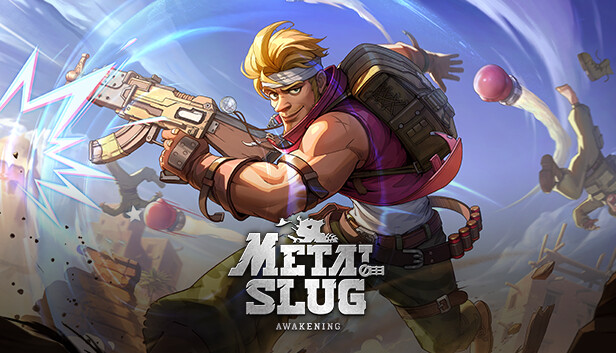
(SEA)
Metal Slug: Awakening

METAL SLUG AWAKENING
How to Find Your User ID (Role ID)
Log In to Your Account
Launch Metal Slug Awakening on your device and log in using your game account.
Open Your Player Profile
From the game interface, tap your Avatar Icon to access your player profile and account information.
Locate Your Role ID
Your Role ID (User ID / UID) will be displayed on your profile screen. Copy or carefully note down the ID for your top-up purchase.
No Login Required! Simply enter your Role ID on our top-up page, select your desired package, and complete payment.
You do not need to share your game password or login credentials.
Important Reminder: Please verify your Role ID before confirming your purchase. Incorrect account details may result in failed or misdirected top-ups.
LEVEL.UP CREDITS
Level up your game. Power up with confidence.
www.level-upcredits.com
Starting at S$1.1
TOPUP NOW
APAC
Crystal of Atlan
CRYSTAL OF ATLAN
How to Find Your Player ID (UID)
Log In to Your Account
Launch Crystal of Atlan on your device and log in using your game account.
Open Your Player Profile
From the main game screen, tap your Avatar Icon located in the top-left corner to access your player profile.
Locate Your Player ID
Your Crystal of Atlan Player ID (UID) will be displayed on your profile information screen. Copy or carefully note down the ID for your top-up purchase.
No Login Required! Simply enter your Player ID on our top-up page, select your desired package, and complete payment.
You do not need to share your game password or login credentials.
Important Reminder: Please double-check your Player ID before confirming your order. Incorrect account details may result in failed or misdirected top-ups.
Starting at S$3.2
TOPUP NOW
Garena Undawn
GARENA UNDAWN
How to Find Your Player ID (UID)
Open Your Player Profile
Launch Garena Undawn and tap your Avatar Icon located in the upper-left corner of the main game screen (HUD).
Access Your Account Information
Tap the More button next to your player name, or navigate to the Basic Info tab to view your account details.
Find and Copy Your Player ID
Your Player ID (UID) will be displayed on the screen. Tap the Copy Icon next to the number to copy your UID directly.
No Login Required! Simply paste your Player ID into the UID field on our top-up page, select your preferred package, and complete your payment.
No game account password or login credentials are required.
Important Reminder: Please double-check your Player ID before confirming your purchase. Incorrect account details may result in failed or misdirected top-ups.
Starting at S$1.75
TOPUP NOW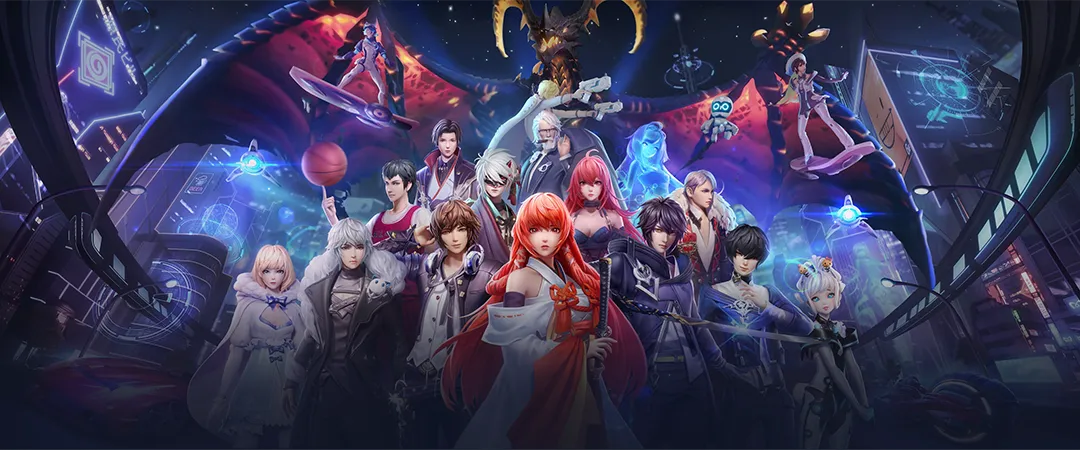
(SEA)
Dragon Raja

DRAGON RAJA
How to Find Your Dragon Raja User ID
Log In to Your Account
Launch Dragon Raja on your device and log in using your game account.
Open Your Player Profile
From the main game screen, tap your Avatar Icon located in the upper-left corner to access your player profile.
Locate Your User ID
Your Dragon Raja User ID (UID) will be displayed on your profile information screen. Copy or carefully note down the ID for your top-up purchase.
No Login Required! Simply enter your User ID on our top-up page, select your desired package, and complete payment.
You do not need to share your game password or login credentials.
Important Reminder: Please double-check your User ID before confirming your purchase. Incorrect account details may result in failed or misdirected top-ups.
Starting at S$1.3
TOPUP NOW
One Punch Man: The Strongest

ONE PUNCH MAN
Follow these simple steps to locate your account details before purchasing a top-up.
Log In to Your Game
Launch One Punch Man: The Strongest and log in using your game account.
Open the In-Game Mall
From the main game screen, locate and tap the Mall icon in the upper-right corner.
Select Recharge
Inside the Mall, tap the Recharge tab located along the bottom-right section of the screen.
Find Your User ID & Server ID
Your account information will be displayed at the bottom-left corner of the Recharge screen.
SID Server ID
UID User ID
Copy or carefully note down both IDs for your top-up order.
No Login Required! Simply provide your correct User ID and Server ID when placing your order on Level.Up Credits.
We do not require your game account password or login credentials.
Important Reminder: Double-check both your UID and SID before confirming your purchase. Incorrect account details may cause a failed or misdirected top-up.
Starting at S$1
TOPUP NOW
Dunk City Dynasty

Follow the steps below to find your account details before placing a top-up order.
Launch Dunk City Dynasty and log in using your game account.
On the game's main page, your
Server
will be displayed in the
center of the screen.
Take note of the server shown before continuing.
Enter the game and tap your Avatar located in the top-left corner of the game screen.
Your User ID (UID) will be displayed directly under your nickname on the player profile page.
User ID (UID): Your account ID
Copy your User ID carefully and ensure it matches your account.
No Login Required!
Simply provide your correct User ID and Server when placing your order with Level.Up Credits.
We do not require your game account password or login credentials.
Double-check your User ID and Server before confirming your purchase.
Incorrect account details may result in a failed or misdirected top-up.
Starting at S$1.2
TOPUP NOW
Ragnarok X: Next Generation

NEXT GENERATION
Follow these simple steps to locate your Role ID before placing a top-up order.
Launch
Ragnarok X: Next Generation
and log in using your game account.
Wait until you have successfully entered the game.
From the game interface, navigate to the
Settings
menu.
Open Settings to view your account information.
Your Role ID will be displayed directly below your Server Name in the Settings menu.
Tap the
Copy icon
next to your Role ID.
Your Role ID will be copied so you can paste it directly into the Level.Up Credits top-up order form.
No Login Required!
Simply provide your correct Role ID and any other required account details when placing your order with Level.Up Credits.
We do not require your game account password or login credentials.
Double-check your Role ID before confirming your purchase.
Incorrect account information may result in a failed or misdirected top-up.
Starting at S$5.9
TOPUP NOW
Ulala: Idle Adventure

Launch the game and tap your avatar in the top-left corner.
Your Character ID (UID) is displayed directly below your IGN (In-Game Nickname).
No Login Required!
Starting at S$1.5
TOPUP NOW
Hatsune Miku: Colorful Stage
Tap Menu > Titles & Profile > Default Profile > Player ID.
Your Player ID (UID) will be displayed. Copy it for your top-up order.
No Login Required!
Starting at S$1.3
TOPUP NOW
Pure Sniper

How to Find Your Player ID
Launch the game or pause your current mission.
Tap the ⚙️ Settings icon in the top-left corner.
Find your Player ID at the bottom-left of the options menu.
No Login Required!
Level up your game. Power up with confidence.
level-upcredits.com
Starting at S$6
TOPUP NOW
Gangstar Mirage City
How to Find Your Player ID (UID)
① Launch the game and log in.
② Tap your Avatar/Profile in the top-left corner.
③ Find your Player ID below your profile name and tap Copy.
① Tap the 📱 Phone icon in-game.
② Open your Contacts/Profile menu.
③ Locate your UID and tap Copy.
No Login Required!
Level up your game. Power up with confidence.
level-upcredits.com
Starting at S$1.2
TOPUP NOW
Battle Through the Heavens 3D

How to Find Your User ID & Server
Launch Battle Through the Heavens 3D and log into your account.
Tap your Avatar/Profile in the top-left corner of the lobby, or open Settings.
Locate your numeric User ID / Character ID and Server Name on the profile or settings screen.
No Login Required!
Level up your game. Power up with confidence.
level-upcredits.com
Starting at S$1.3
TOPUP NOW
Tomb Busters

How to Find Your Hunter ID (UID)
Launch Tomb Busters on your mobile device or PC.
Tap your Avatar/Profile icon in the top-left corner of the main screen.
Locate your Hunter ID / User ID on your profile page and copy or note it.
No Login Required!
Level up your game. Power up with confidence.
level-upcredits.com
Starting at S$4.55
TOPUP NOW
Tom and Jerry: Chase

How to Find Your User ID (UID) & Server
Launch Tom and Jerry: Chase on your mobile device.
Tap your Avatar/Profile icon in the top-left corner of the main lobby.
Find your Player ID / UID below your username or level number.
Look for your Server Name / Server ID near your UID on the profile page.
No Login Required!
Level up your game. Power up with confidence.
level-upcredits.com
Starting at S$3.4
TOPUP NOW
The Ants: Underground Kingdom

UNDERGROUND KINGDOM
How to Find Your User ID (UID) & Server
Launch The Ants: Underground Kingdom and log in to your account.
Tap your Avatar / Profile icon in the top-left corner of the main screen.
Find your User ID (UID) and Server on your profile page.
No Login Required!
Level up your game. Power up with confidence.
level-upcredits.com
Starting at S$6
TOPUP NOW
Crossfire: Legends

How to Find Your User ID (UID)
Launch CrossFire: Legends on your mobile device.
Tap your Avatar / Profile icon in the top-left corner of the main lobby.
Find your User ID (UID) on your profile page and copy it.
No Login Required!
Level up your game. Power up with confidence.
level-upcredits.com
Starting at S$2.3
TOPUP NOW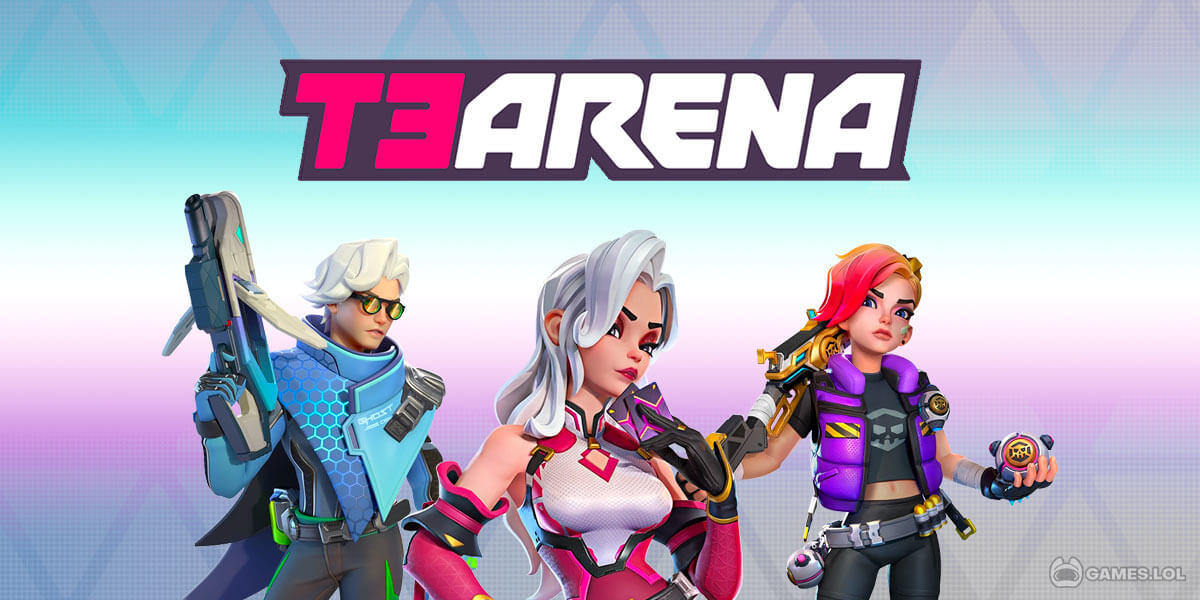
T3 Arena

How to Find Your User ID (UID)
Launch T3 Arena on your mobile device.
Tap the ☰ Menu icon at the top-right corner, then select Options.
Go to Account → Account Info.
Your UID is displayed under Current Account.
No Login Required!
Level up your game. Power up with confidence.
level-upcredits.com
Starting at S$4.75
TOPUP NOW
Legacy of Discord - FuriousWings

FuriousWings • How to Find Your User ID
Your User ID is your registered Login Email.
1️⃣ Visit profile.gtarcade.com
2️⃣ Sign in to your account.
3️⃣ Open Personal Profile.
4️⃣ Find your User Name (User ID).
No Game Login Required!
Level up your game. Power up with confidence.
level-upcredits.com

Ensemble Stars Music

How to Find Your User ID (UID)
Launch the game and tap the ☰ Menu button at the top-right corner.
Select Profile from the menu.
Find your User ID (UID) on your profile page and tap Copy.
No Login Required!
Level up your game. Power up with confidence.
level-upcredits.com
Starting at S$6
TOPUP NOWESCROW GUARDED
Featured Game Accounts for Sale
100% Verified ownership, full email change access, instant automated delivery, with 7-day buyer warranty included.
View All![[END-GAME LEVIATHAN ACCOUNT] MapleStory Idle RPG 8AB CP Aquila 1 [STR class]](/uploads/accounts/1790962666203-1717273e-c05f-4cc3-b7d1-ca1854bbe720.png)
[END-GAME LEVIATHAN ACCOUNT] MapleStory Idle RPG 8AB CP Aquila 1 [STR class]
MapleStory Idle RPG
S$18000
S$23326
available
![MapleStory Idle RPG 100AA CP Aquila 1 [INT class]](/uploads/accounts/1792308470598-b0c79b5a-c72c-4941-9553-5d0b8e7a2fd1.jpg)
MapleStory Idle RPG 100AA CP Aquila 1 [INT class]
MapleStory Idle RPG
S$1500
S$1862
available
![MapleStory Idle RPG 10aa CP Aquila 1 [DEX class]](/uploads/accounts/1790962733931-f31dc956-83dd-4b45-b393-108bfe2fefcc.png)
MapleStory Idle RPG 10aa CP Aquila 1 [DEX class]
MapleStory Idle RPG
S$1000
S$1336
sold